
How to use Pics to Description for Shopify
Turn product images into high-converting, SEO-ready product content in seconds. Generate product descriptions, SEO titles, meta descriptions and content in your store’s language, directly from your Shopify product images.
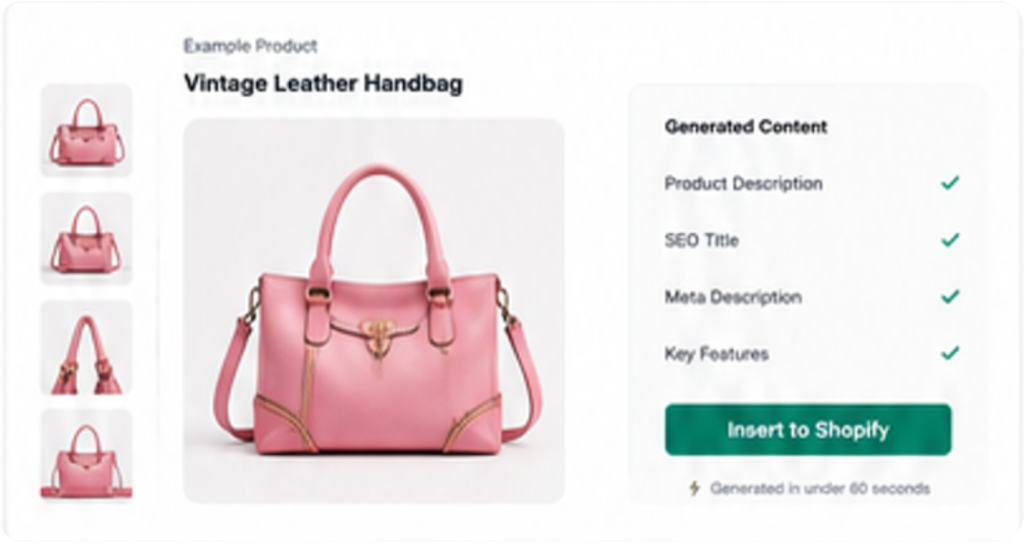
How Pics to Description works
The AI analyzes your product images and follows your instructions to create content tailored to your products.
Product images
What the AI sees.
Product title
What your product is.
Custom Instructions
What to focus on.
Better content
Copy that sells.
Generate your first description in 4 steps
1. Select a product
Choose any product from your Shopify store. On the product page, click More actions and choose Pics to Description.
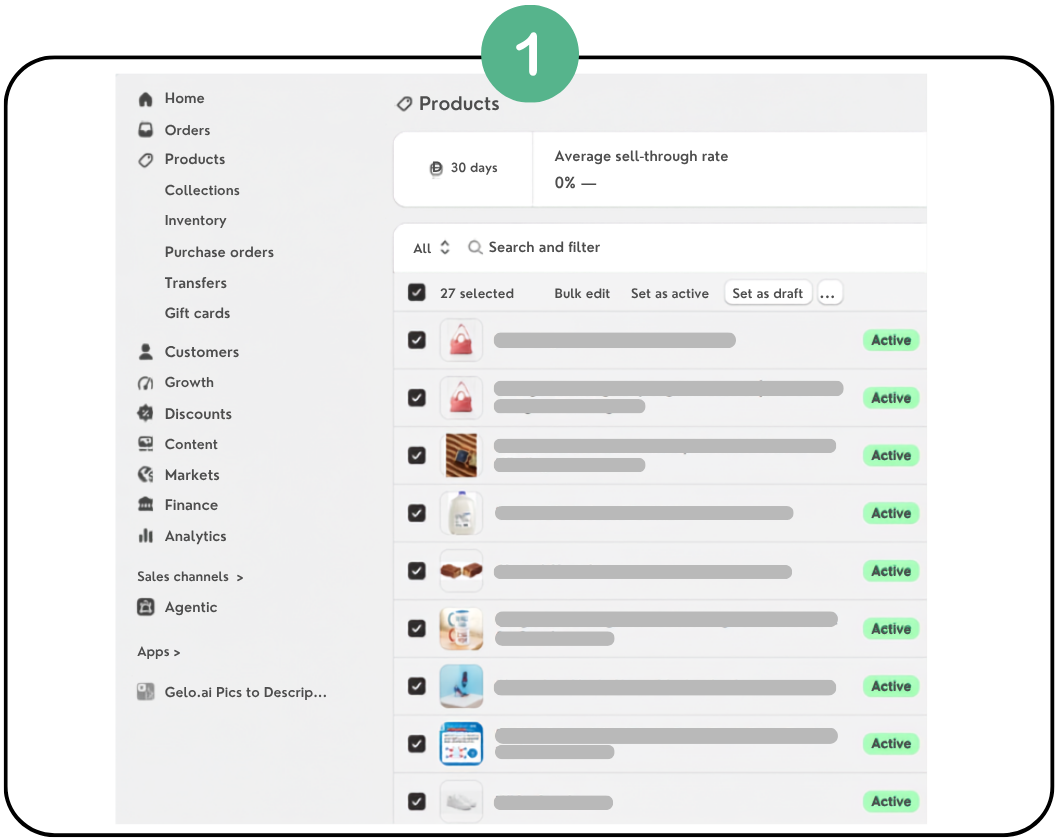
2. Choose product images
Select the images you want the AI to analyze.
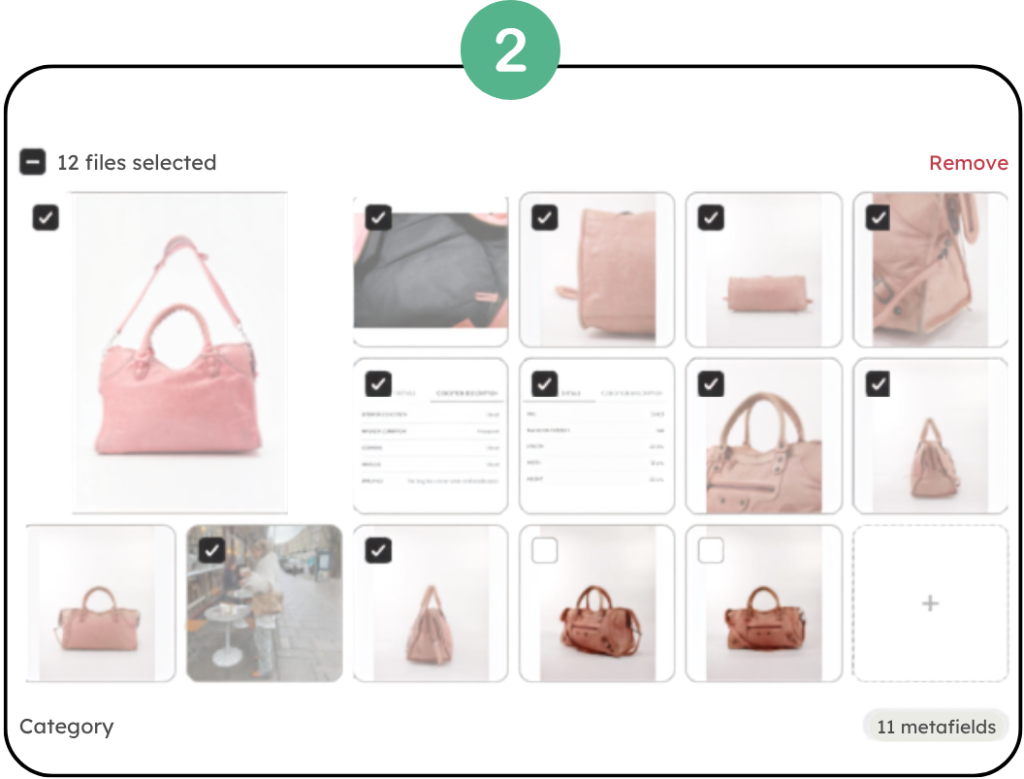
3. Add Custom Instructions
Guide the AI with tone, SEO focus, product features or niche-specific instructions.
4. Generate and apply
Review the result and choose whether to replace, add before, or add after your current description.
Get better results with Custom Instructions
Create unlimited instructions, combine several, and use them anytime with one click. Ready-made templates cover these niches:
Vintage & second-hand
Pre-owned, vintage, collectibles and antiques
- Authenticity & condition
- Collectible value
- Sustainability
- Vintage SEO
Jewelry & accessories
Jewelry, watches and luxury accessories
- Materials & gemstones
- Craftsmanship
- Luxury appeal
- Buyer confidence
Home decor & furniture
Furniture, decor and home essentials
- Materials & dimensions
- Placement ideas
- Durability & style
- Home SEO
Fashion & apparel
Clothing, shoes and accessories
- Fit, fabric & style
- Season & outfit ideas
- Fashion SEO
- Compelling CTA
Electronics & gadgets
Devices and tech accessories
- Specifications
- Compatibility
- Technical SEO
- Practical use cases
Food & beverage
Gourmet, drinks and ingredients
- Ingredients & origin
- Health and nutrition
- Dietary information
- Food SEO
Pet products
Pet food, toys and accessories
- Pet type
- Safety and durability
- Everyday benefits
- Pet SEO
Baby products
Baby gear, toys and essentials
- Safety features
- Age recommendations
- Parent benefits
- Baby SEO
Beauty & skincare
Skincare, makeup and beauty
- Ingredients & benefits
- Skin type
- Clean beauty claims
- Beauty SEO
Gifts
Gift ideas and special occasions
- Occasions
- Recipients
- Emotional benefits
- Gift SEO
Creating your own instructions: each instruction has a title (a short name so you can find it) and the instruction itself (what you want the AI to include). Create as many as you need for your brand, tone and product types.
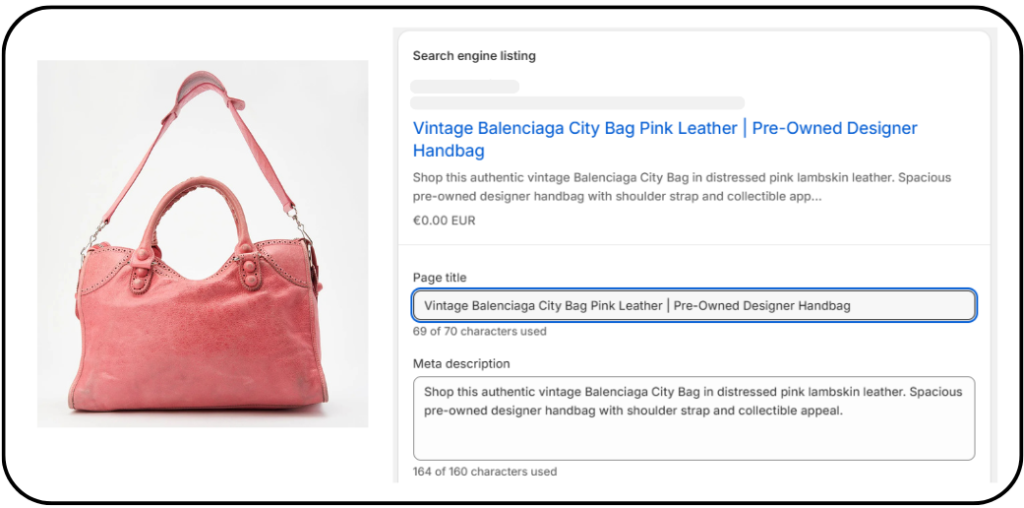
See the difference
Without Pics to Description
- Vintage pink leather handbag.
- Used condition.
- Comes with strap.
- Good for everyday use.
With Pics to Description
- SEO title
- Meta description
- Detailed product description
- Bullet-point features
- Use cases & benefits
- SEO keywords & search intent
- Clear call to action
Pro tips for better results
- Use clear, high-quality product images
- Keep your product title accurate
- Include your brand tone and audience
- Mention materials, dimensions and key details
- Focus on benefits, not features
- Include SEO keywords naturally
- Save multiple instruction templates
- The more context you provide, the better the results
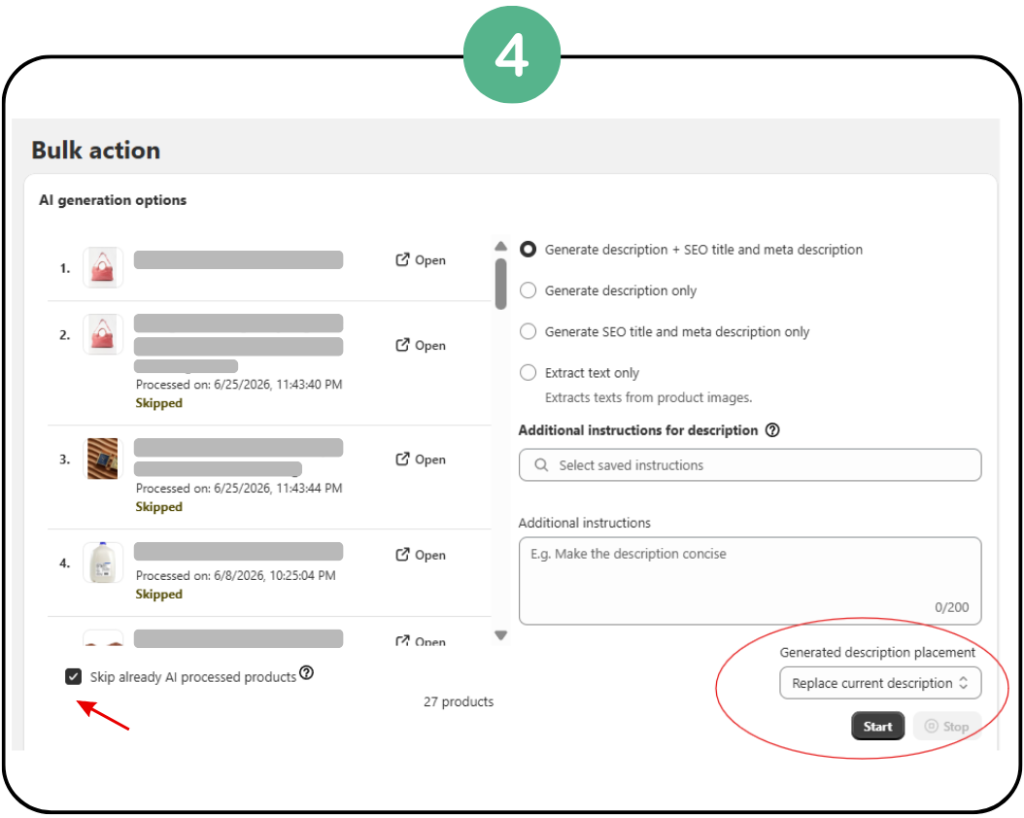
Bulk generation for growing stores
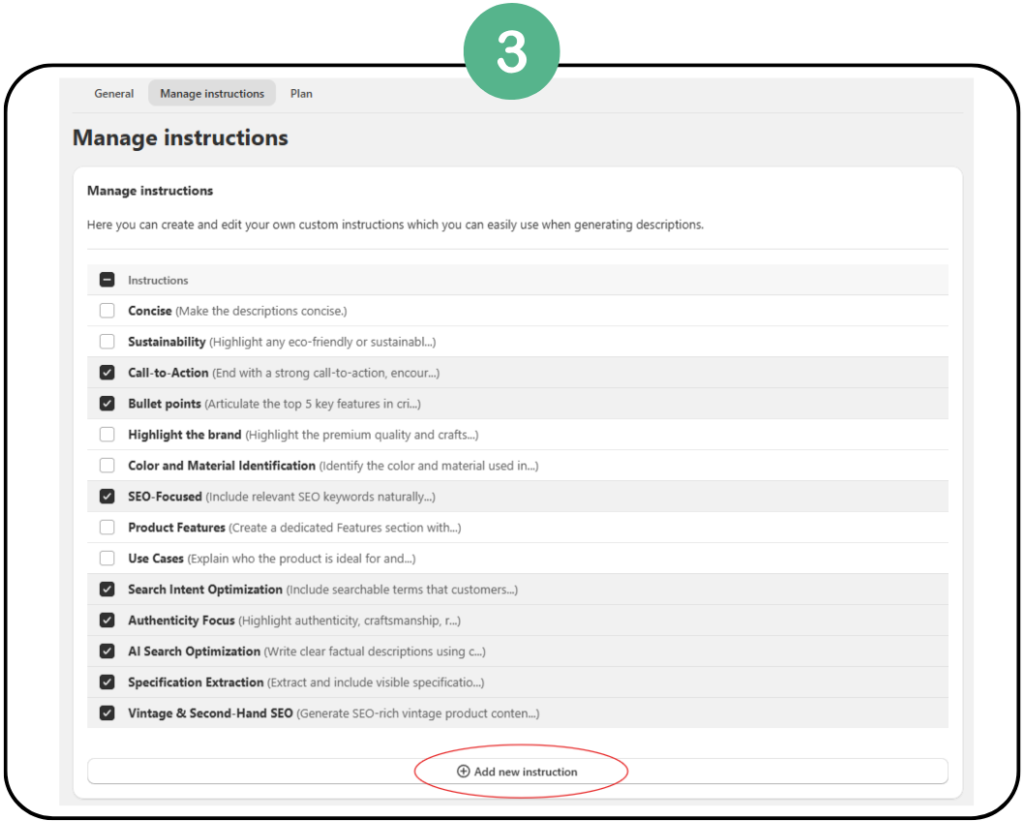
Generate descriptions for a selection of products or a whole collection at once. Bulk generation can save 5–10 hours every week.
Selected products
- Go to Shopify → Products
- Filter and select products
- Click the three-dot menu
- Choose Pics to Description
Entire collection
- Open a collection page
- Click More actions
- Choose Pics to Description
Watch: bulk generation for a collection
See the bulk workflow step by step.
Plans
Free plan
Start with 10 free generations a month to test the app.
- Product descriptions
- SEO titles
- Meta descriptions
- Content from images
Upgrade to unlock more
More generations, advanced features, faster growth.
- More monthly generations
- Advanced bulk processing
- Skip already-processed products
- Multi-language OCR
Frequently asked questions
Can I use the current product description as a source?
Yes. Rewrite mode uses your images together with the existing product information.
Can I customize the tone and style?
Yes. Custom Instructions control tone, structure, formatting and SEO focus.
Can this help with SEO?
Yes. Every run can create an SEO meta title and meta description along with the description.
Do I need custom instructions?
No, but they improve results. Start with a ready-made template and adjust it.
Can I save and combine multiple instruction templates?
Yes. Save as many as you like and combine them in a single run.
Do I need technical or SEO knowledge?
No. The app does the SEO work; you review the result.
Can I edit the generated content?
Yes. Review it, regenerate if needed, and edit anything before or after applying it.
Want advanced tips?
Get the free onboarding guide with SEO best practices, Shopify growth tips and automation workflows.
Get the free guide →Need help?
Questions, suggestions or feature requests? Email support@gelo.ai. We’re always happy to help.
Contact support →Other apps we recommend: Transtore, language and currency solution with AI-powered translations and currency and geolocation conversion.
