Help Center › Billing & Plans

Billing & Plans

Billing & Plans

Understand your credits, subscription, and billing.

This guide explains how current Pics to Description plans work, how usage is calculated, and how to manage your subscription through Shopify.

Pricing and features can change, so always confirm the latest details on the Shopify App Store listing before upgrading.

Shopify Billing
Pics to Description
Monthly Plan

Credits, usage, and renewal details


Total
$

Choose the Plan That Fits Your Store

The current Shopify App Store listing includes the plans below. Confirm the live listing before publishing future updates.

🌱

Free

$0

10 free AI product descriptions monthly

  • SEO-optimized AI product descriptions
  • SEO meta titles and descriptions
  • Bulk generation
  • Multi-language image text extraction

Premium

$49.90

1,000 product generations per month

  • Faster content creation
  • SEO product content
  • Custom Instructions
  • Bulk Generation
  • AI Image Analysis
  • Multi-language support
  • Additional products at $0.10 each
👑

Ultimate

$129

5,000 product generations per month

  • Lowest cost per generation
  • Advanced Bulk Generation
  • SEO product content
  • SEO-optimized meta titles
  • Custom Instructions
  • Image Text Extraction (OCR)
  • Priority support
  • Additional products at $0.08 each

Important: All charges are billed in USD. Recurring and usage-based charges are managed through Shopify.

How Credits and Product Generations Work

A product generation is counted when Pics to Description successfully creates supported AI content for a product. Your available usage depends on the current plan.

📄

Product Descriptions

Generate customer-focused product descriptions from images and product information.

🔎

SEO Content

Create supported SEO titles and meta descriptions according to your selected generation option.

OCR

Image Text Extraction

Extract visible text from product images when supported by your plan and generation settings.

Check Your Remaining Usage

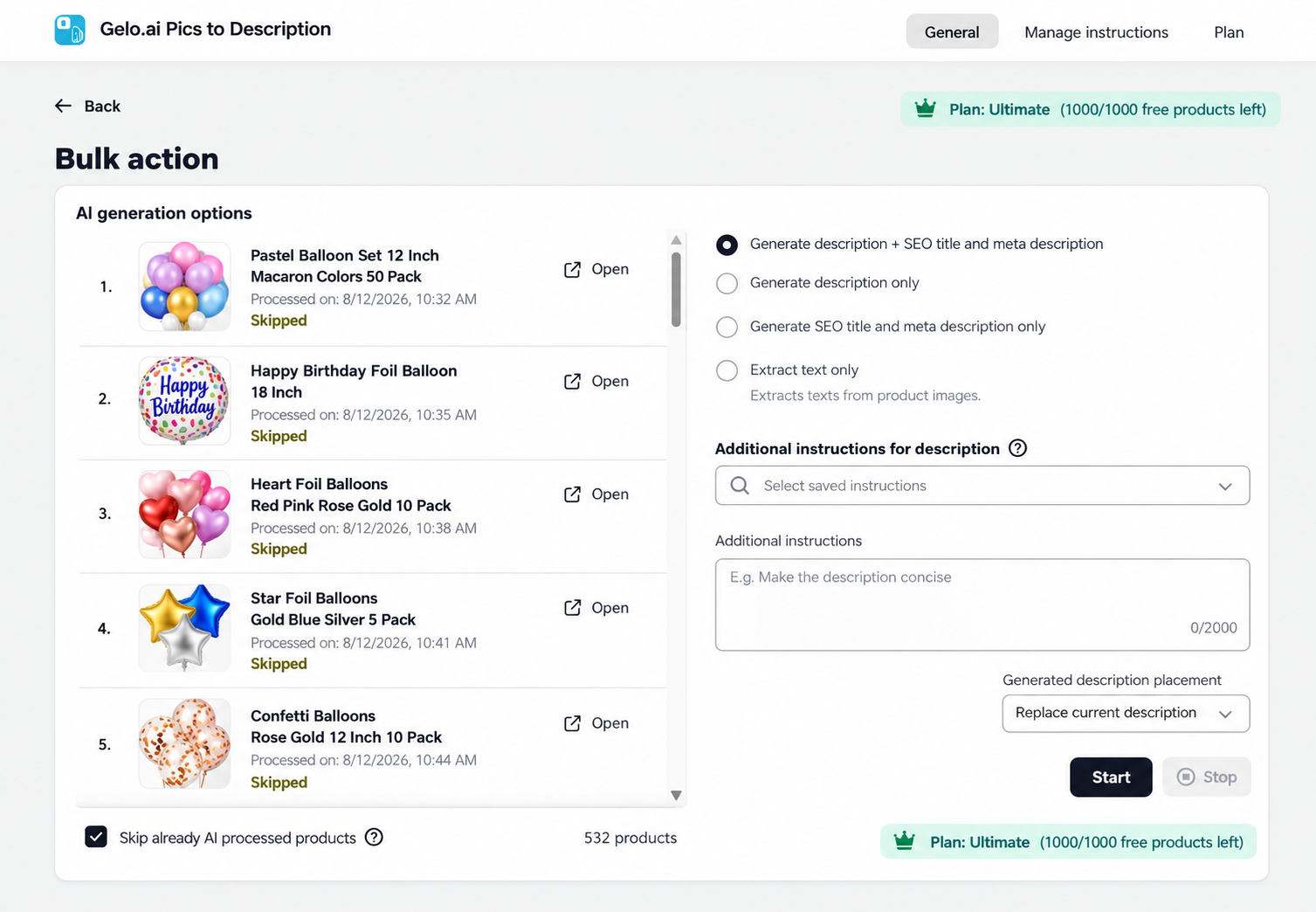
  • Open Pics to Description in Shopify.
  • Go to the Plan section.
  • Review your remaining product generations.
  • Monitor usage before starting a large bulk-generation batch.

Manage Your Subscription

⬆️

Upgrade

Choose a higher plan when you need more monthly generations or advanced workflows.

⬇️

Downgrade

Switch to a lower plan when your store’s content needs or usage decrease.

Cancel

Cancel through Shopify’s app subscription management when you no longer need the paid plan.

🔒

Secure Shopify Billing

Subscription and usage charges are handled securely through your Shopify account.

Which Plan Is Right for Your Store?

  • Free: Best for testing the app and creating your first product content.
  • Pay as You Go: Best for flexible or occasional usage without a fixed monthly generation package.
  • Premium: Best for established stores with regular content needs and larger catalogs.
  • Ultimate: Best for high-volume stores, agencies, and merchants using advanced bulk workflows.

Frequently Asked Questions

How does billing work?

Billing is handled through Shopify. Paid plans and usage-based charges appear according to Shopify’s billing process.

Can I change plans?

Yes. You can change plans according to the options currently available inside the app and Shopify billing.

What happens when I use all included product generations?

Your next step depends on the current plan. Some plans support additional usage-based generations, while others may require an upgrade or renewal.

Where can I see the latest pricing?

The Shopify App Store listing for Pics to Description is the best place to confirm current plan names, prices, included usage, and overage rates.

Related Guides

Getting Started

Learn how to generate your first product description.

Learn more →

Bulk Generation

Plan your available usage before processing a larger catalog.

Learn more →

Troubleshooting

Find guidance for app, generation, and usage issues.

Learn more →

Ready to Choose Your Plan?

Review the current pricing and plan details for Pics to Description by Gelo.ai directly in the Shopify App Store.

CHAT