

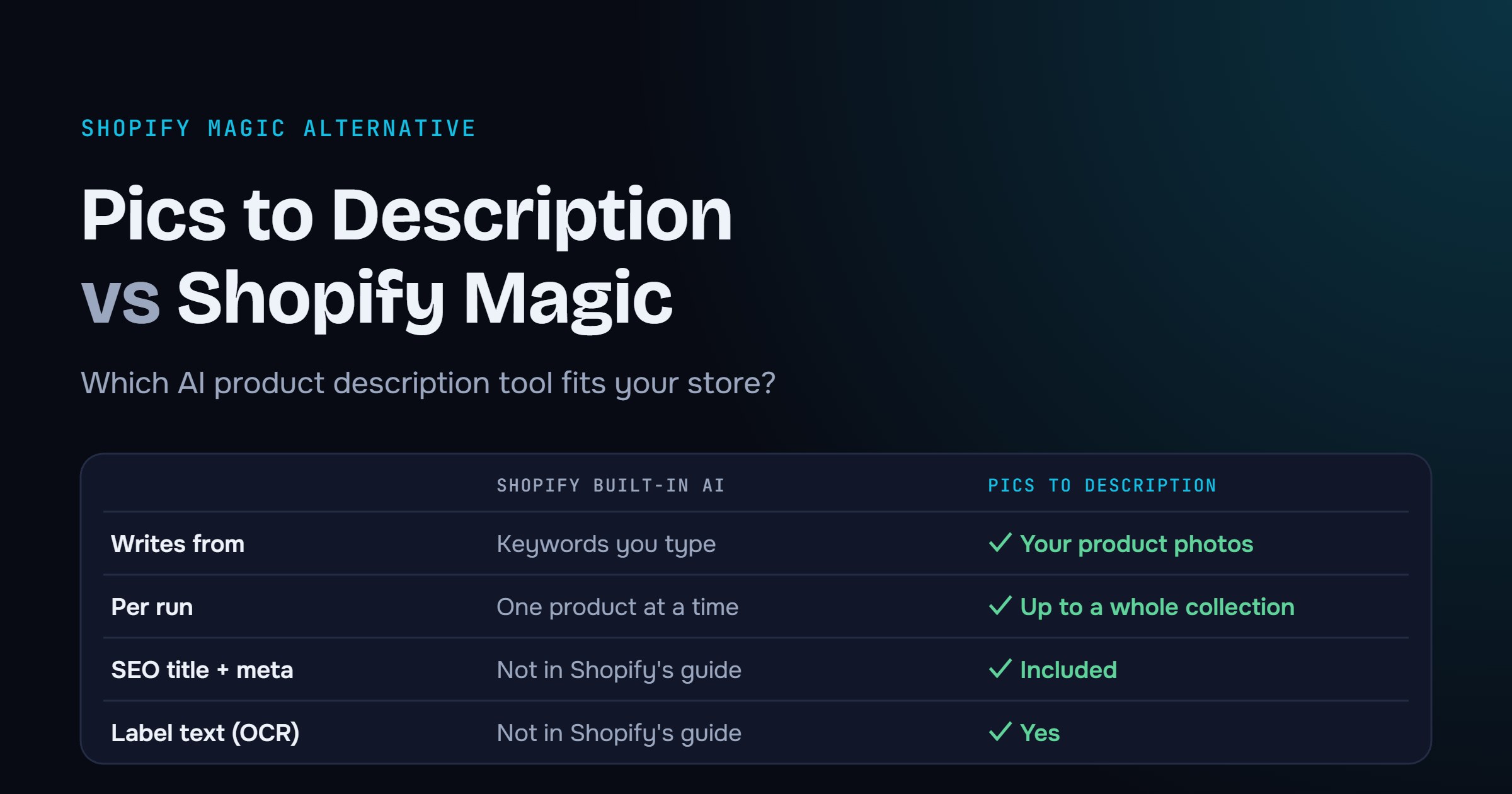
Both tools write product descriptions with AI. The big difference is where the words come from: Shopify’s built-in writer starts from the keywords you type. Pics to Description starts from your product photos.
Here’s a quick side-by-side so you can pick the right one for your catalog. Shopify details are based on the Shopify Help Center as of November 2026. Shopify now offers this writer through Sidekick, its AI assistant.
When Shopify’s built-in AI is enough
- You add a few new products a month.
- Your product titles and specs are already detailed.
- You’re happy to type a prompt for each product.
It’s built in and quick to try. Shopify’s own tip: give it at least a product title and two features, and the more specific you are, the better the text.
When a Shopify Magic alternative makes sense
- Your photos say more than your data. Posters, party supplies, vintage, home decor: the color, material, print and style are in the image, not in the title. How AI Vision reads your images.
- You have dozens or thousands of products. Run a whole collection at once instead of opening every product. Bulk generation guide.
- You need to rewrite supplier copy. Rewrite mode uses your photos and the existing description, and you choose to replace it, add before or add after. See AI product descriptions for Shopify.
- You want SEO done in the same step. Every run includes the SEO title and meta description Google shows in search results.
Try both on the same 5 products
The fairest test takes 10 minutes. Pick 5 products, including one with a vague title and one with text on the packaging. Write them with Shopify’s AI, then with Pics to Description, and compare accuracy, tone and SEO fields. Our 7-point checklist helps you score them.
Free to try
Write your first product descriptions from photos: 10 products a month free.
BFCM 2026: enter code BFCM100 inside the app by December 6 for 2× credits on any plan. See the offer
Install free on Shopify →Quick answers
Can I use both?
Yes. They don’t conflict. You could use Shopify’s AI for a quick one-off edit and Pics to Description for new collections and bulk rewrites.
Does Pics to Description replace my existing descriptions?
Only if you choose to. You review the result first, then replace, add before or add after your current description.
How much does it cost?
Free for 10 products a month. Basic is $19.90 for 200, Premium $49.90 for 1,000 and Ultimate $129 for 5,000, all billed through Shopify. Compare plans.

Leave a Reply